







|
IN BRIEF
|

Welcome to the world of EBP, where managing your business becomes simple and smooth. Thanks to Mon Compte EBP, you can easily access your online space to manage your accounting, payroll, and invoicing software. Whether you want to check your financial data or track your cash flow, everything is within reach, as long as you use your login credentials to enter your personalized interface.
In this article, we'll guide you step by step to access your EBP account. Whether you're a new user or just need a refresher on how to log in, this tutorial is designed to make managing your accounts even simpler with clear, straightforward instructions.
Getting ready to log in
Before logging in to your EBP account, make sure you have your login credentials on hand. These typically include your email address and your password. If you don't yet have an account, you'll need to create one through the official website.
How to log in to your EBP account
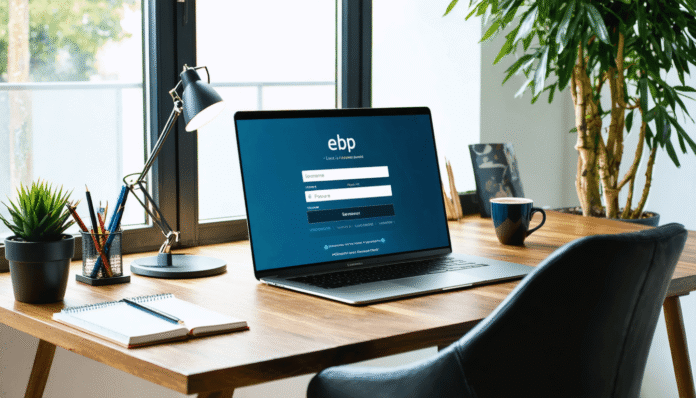
To access your account, go to the dedicated website: Mon Espace EBP. On the homepage, you'll find a space to enter your credentials. After filling in the required fields, click the login button.
My first steps in my online solution
Once logged in, you'll be able to explore all the available features. To find out how to get started with your online solution, check out the initial steps. This will help you get familiar with the tools at your disposal.
Accessing your EBP software
In your account, you'll be able to manage your accounting and management software. For more information on the various available programs, feel free to check out the pages dedicated to accounting software and to EBP Hubbix.
Activating and backing up your software
To activate your software, follow the instructions on the platform. Also remember to manage your online backups, a crucial step for the security of your data. To access this feature, click on the “Software and services” menu, then select “Online backup.”
Support and assistance
If you run into difficulties or have questions, EBP's support team is available to help. You can contact them directly from your account or visit the official website for more details on support options.
By following these simple steps, you'll be able to quickly access your EBP account and take full advantage of all the services offered.
Access to your EBP account is essential for efficiently managing your accounting and administrative operations. Thanks to an intuitive online platform, you can easily carry out various tasks, from managing your cash flow to tracking your backups. Discover our tips for simplifying your experience with EBP.
Creating your EBP account
To start using EBP's services, the first step is to create your account. Go to this page. Enter your license number and follow the steps shown. Once your account is created, you'll be able to log in easily.
Logging in to your EBP account
Once your account is set up, accessing your space is a breeze. Go to EBP's official website at the following address: mon-espace.ebp.com. Simply enter your credentials, and you'll be redirected to your dashboard.
Updating the application
It's important to keep your application up to date to benefit from the latest features. During an update, the process may take a few minutes. Feel free to check back regularly to make the most of your experience.
Managing backups
To ensure the security of your data, it's crucial to effectively manage your backups. To access your online backups, go to your EBP space, then click on the Software and services menu, followed by Online backup. For more information, visit this support page.
Using EBP Hubbix
For simplified business management, consider using EBP Hubbix. This online accounting software is designed to be simple and intuitive. To learn more about the benefits of this solution, visit EBP Hubbix.
Using the mobile app
Finally, for management on the go, download the EBP mobile app. It lets you view and track your quotes and invoices directly from your smartphone, giving you quick access to your important documents.
Accessing your EBP account
| Feature | Description |
| Account creation | Simple process for opening an EBP account. |
| Online login | Access your account remotely via the internet. |
| Backups | Easy management of your data backups. |
| Support | Quick access to online technical support. |
| Software activation | Smooth activation process for your EBP solutions. |
| Mobile app | Quick viewing of quotes and invoices on the go. |
| User interface | User-friendly and intuitive for easy navigation. |

Easily accessing your EBP account
EBP Mon Compte is a must-have solution for users looking to simplify the management of their accounting and management services. With an intuitive interface, this platform makes it easy to log in and find all the tools needed to efficiently run a business. The ease of accessing your account lets you dive quickly into the world of online management without wasting time.
One of the main features of EBP Mon Compte is its ability to centralize all your data. In just a few clicks, you can navigate through the different sections of your account, whether it's accounting, invoicing, or business management. This fosters better organization and gives you full visibility into the state of your business. No more juggling between multiple tools—everything is right at hand.
To access EBP Mon Compte, simply go to the dedicated website and enter your credentials. Once logged in, you'll enjoy instant access to all of your documents and features. Whether it's checking your online backups, activating your software, or even accessing support tools, the platform ensures all your needs are covered in one place.
Finally, EBP has put robust security processes in place to ensure the protection of your data. You can therefore manage your information with confidence. The accessibility and security of EBP Mon Compte make it a smart choice for professionals seeking a reliable, high-performing solution.
FAQ about EBP Mon Compte
How do I access my EBP account? To access your EBP account, go to the official website and enter your login credentials in the dedicated section.
What should I do if I forgot my password? If you've forgotten your password, use the password recovery feature available on the login page to reset it.
Is it possible to create an EBP account for free? Yes, you can create an EBP account for free. Follow the sign-up steps to set up your account.
How do I activate my EBP software? To activate your EBP software, click the “Activate” option and follow the provided instructions to complete the activation.
Where can I find backups of my EBP software? To access your backups, log in to your EBP space, then navigate to the “Software and services” menu and select “Online backup.”
Can I install EBP on a new computer? Yes, you can install EBP on a new computer by following the appropriate installation procedure provided in your EBP account.
How do I manage users in my EBP account? You can manage your users by going to the “User management” section in your EBP space, where you can add or remove accounts.
How do I contact EBP support? To contact EBP support, use the contact details available in the support section of your account, or submit a request via the contact form.
Ome TV: Discover Random Video Chat
IN BRIEF Ome TV is a random video chat platform. Easily meet strangers from around the world. Enjoy real-time conversations via webcam. Free service with no ads and no time limits. Join a community of more than one million users.…
grandseducteur.com Website: Seduction Tips
IN BRIEF Authentic and effective seduction techniques Professional advice for seducing with confidence Seduction games to create authentic connections Style tips to boost your appeal Strategies for seducing a woman who's in a relationship, with golden rules Tips for approaching…
Countries Starting with W: List of Countries Beginning with W
IN BRIEF Countries starting with W: a thematic search. Focus on geographic features. Analysis of specific cultures and traditions. Exploration of economy and tourism. Importance of international relations. Around the world, few countries start with the letter W, but that…
Avito: Free Classified Ads in Morocco
IN BRIEF Avito: the number one platform for classified ads in Morocco. Free listings for selling and renting real estate. Used cars and other vehicles available. Classified ads for a variety of household and personal items. Access to thousands of…
This article was written with the help of artificial intelligence. Editorial policy
Table des Matières

